
Rapid prototyping is an online tool that replaces traditional, time-consuming procedures for preparing offers based on a BOM. The entire process has been standardized so that users can independently prepare a prototype quotation without the need to contact support.
Project registration is carried out in six clear steps: uploading the BOM, mapping the data, selecting components, calculating the PCB, estimating assembly costs, and finalizing and sending the request for quotation. The system automates component selection and pricing, operating based on two data sources:
The tool also allows you to choose from a list of substitutes for each automatically matched component. At any time, these can be modified by comparing available options in the catalog.
PCB costs—after entering the required parameters—and assembly costs are calculated by the system and added to the total project value.
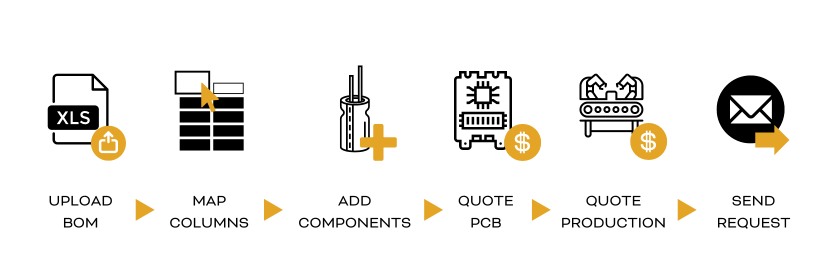
The service available on the Masters web platform offers ten key advantages:
Thanks to a team of experienced specialists, an in-house R&D department, and the NPI team, Masters provides support in developing solutions based on new technologies. Experts analyze submitted BOMs, advise on component selection and circuit design, accelerating prototype preparation and subsequent testing.
The platform enables instant preparation of a preliminary project quotation based on an Excel sheet (BOM). Using AI algorithms, the system analyzes the data and proposes suitable components. The following explains how to work with the tool.
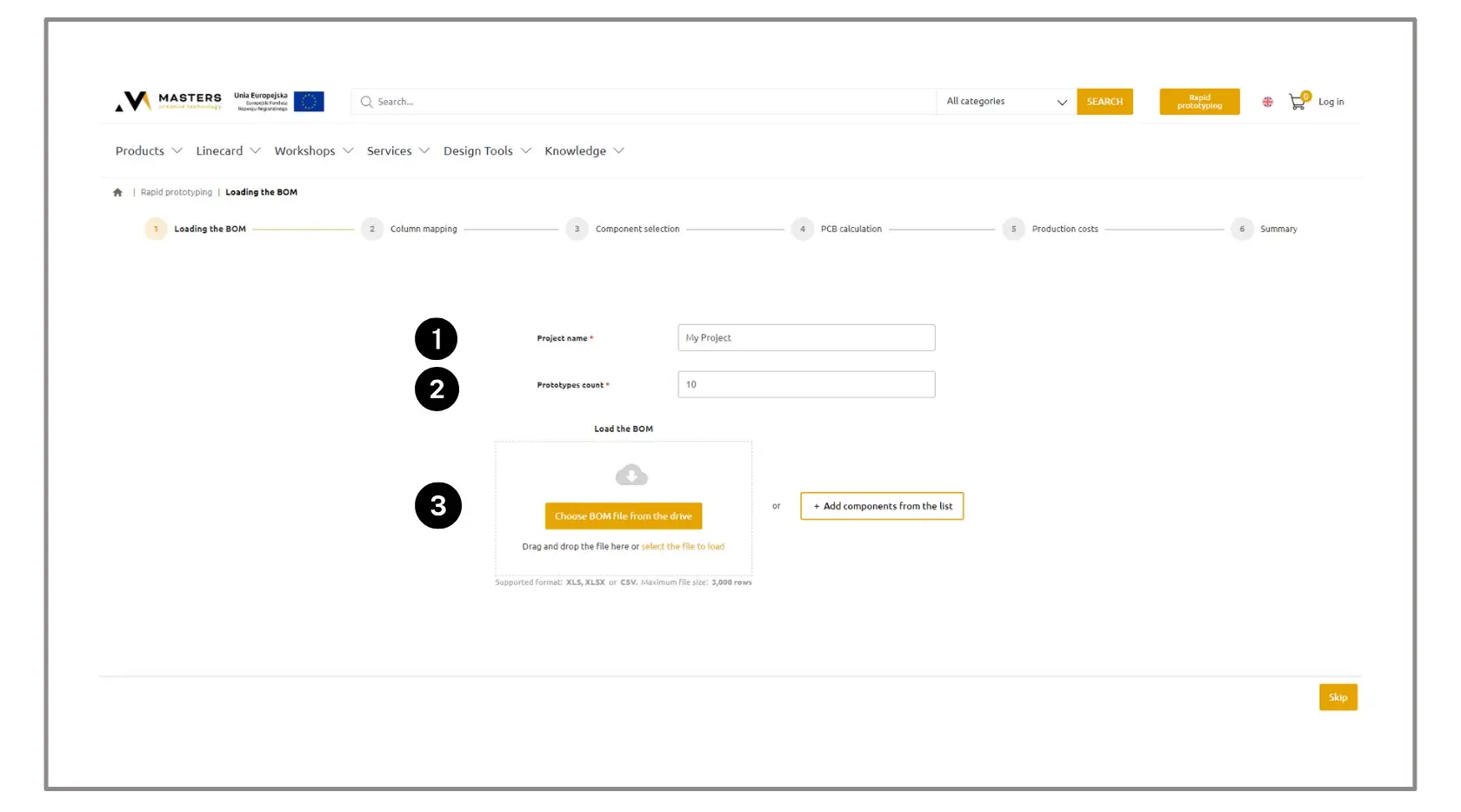
1. Assign a name to your project.
2. Specify the number of prototypes you want to quote.
3. Upload your BOM file or select components directly from the catalog.
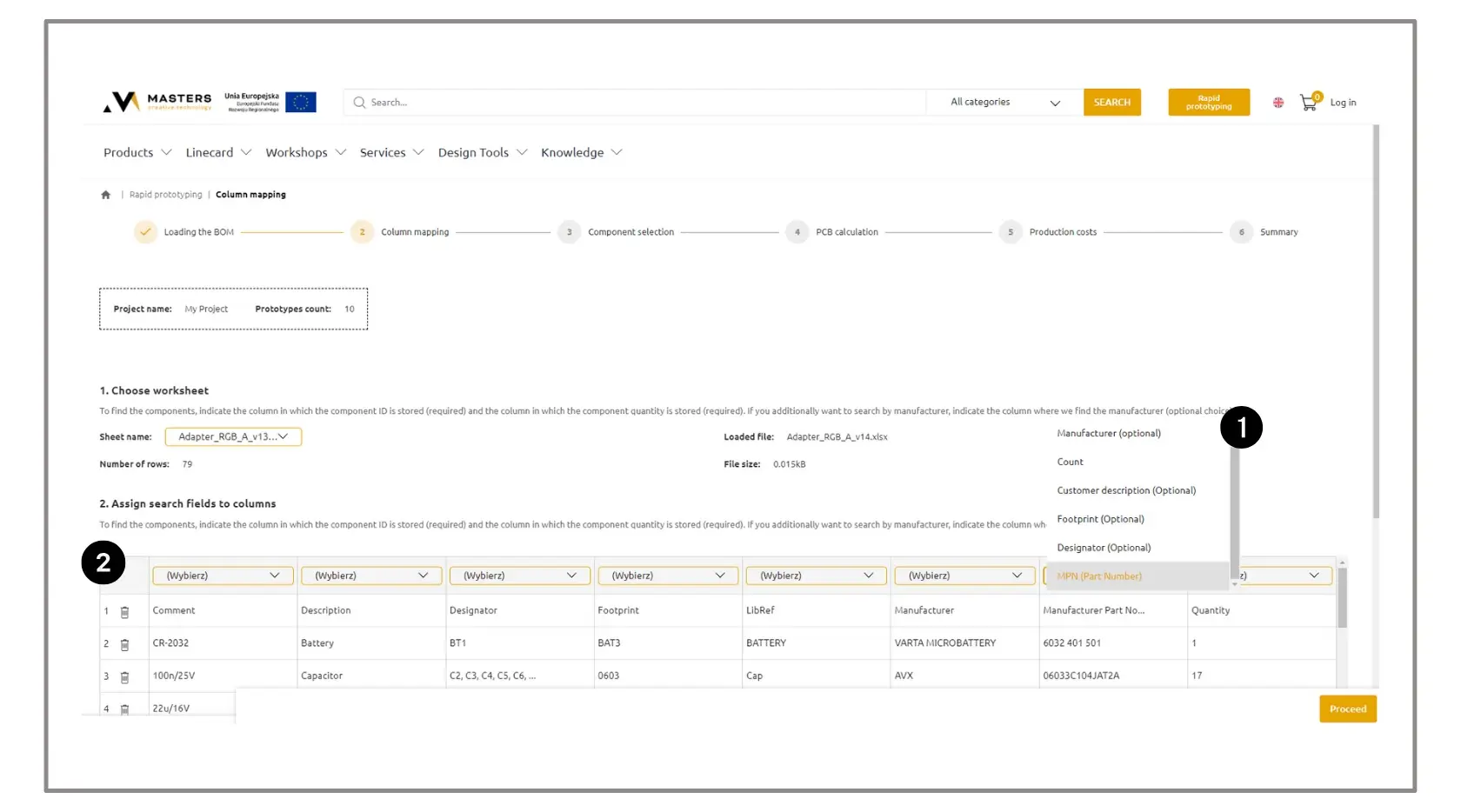
1. Assign parameter names to the BOM columns. Required fields are:
2. Remove items that should not be included in the quotation.
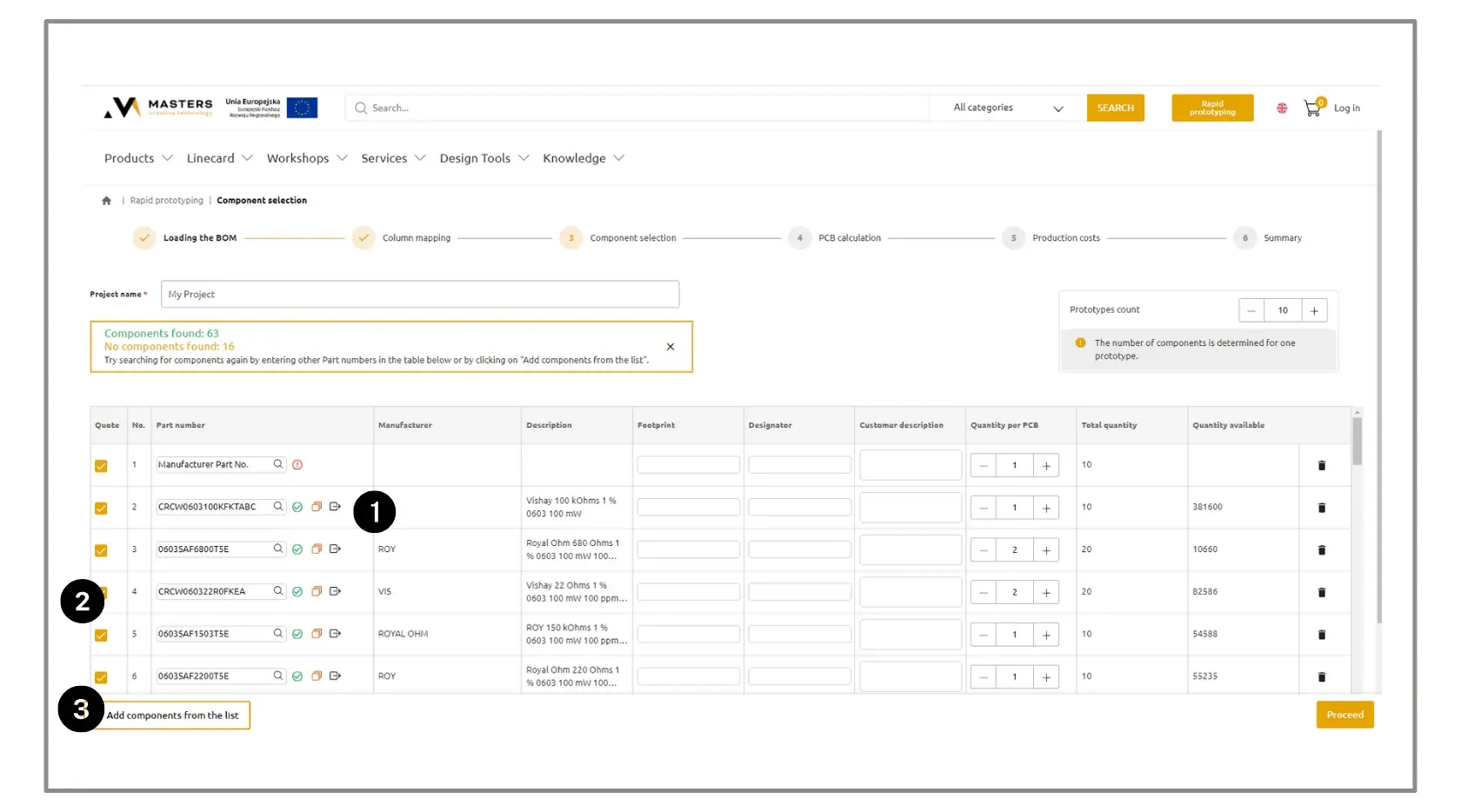
1. Review the status of each component.
 – PN matched.
 – Current price and stock information for the item are unavailable.
 – PN matched by AI; check the description and specifications to ensure critical parameters are correct.
 – Substitutes are available; click this icon to expand the row and change the selection.
 – Open the component card in a new tab to review parameters and documentation.
 – No matching item was found for the provided PN or description. Verify the data or use the search function to locate the required component in our database.
From the BOM, you can open the product card, check its parameters, view alternative suggestions, and—using the search—find any missing component.
2. Verify that all required components are marked for quotation. Remove unused items.
3. If needed, add new components from the catalog:
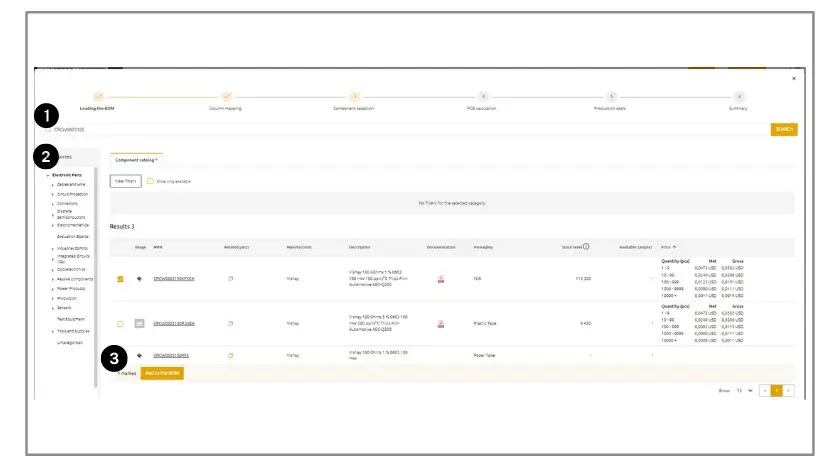
1. By searching for them by name, or
2. Using the category tree.
3. Then add the selected items to the BOM.
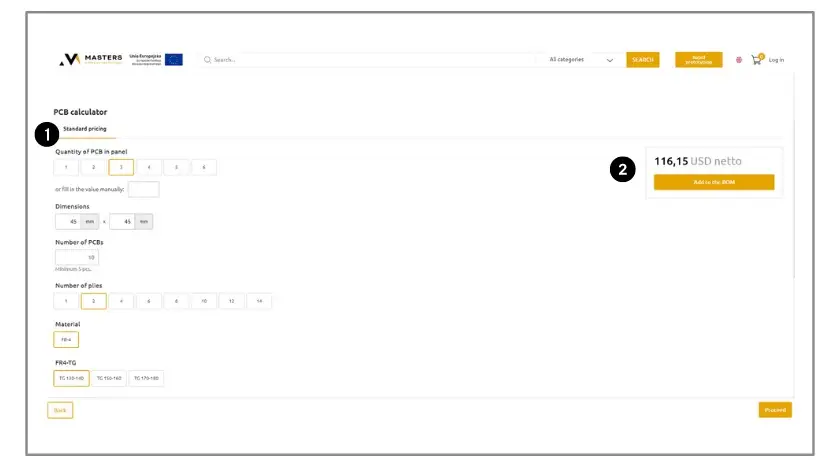
1. Enter the printed circuit board parameters.
2. After a moment, the system will display a preliminary price, which can be included in the final quotation.
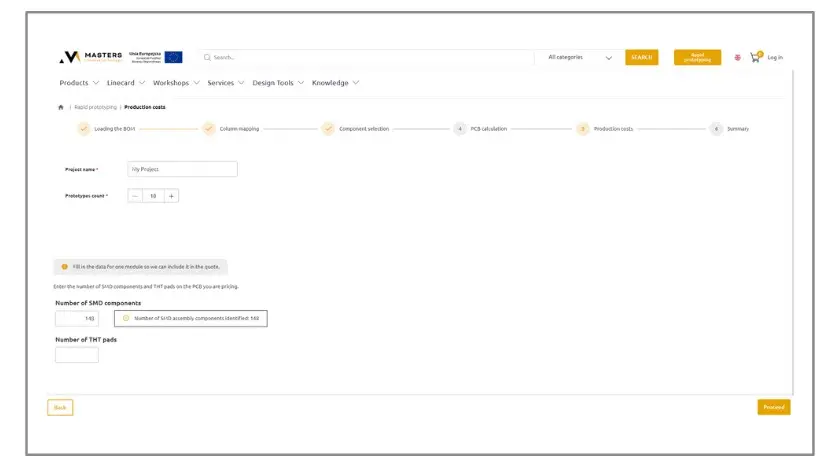
The system automatically calculates the assembly cost and adds it to the summary.
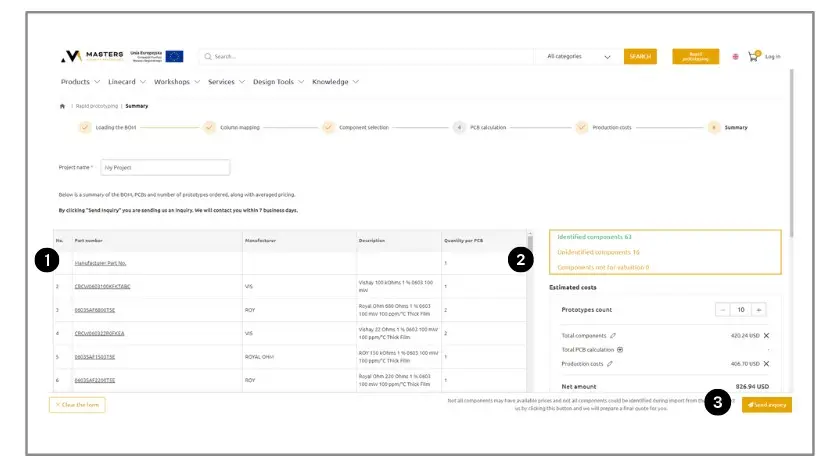
1. Check the component list and calculation results.
2. If necessary, return to previous steps and make adjustments.
3. Send the request – a confirmation will be sent to the email used for registration.
Tip: At any stage, you can contact the team of specialists who will help prepare the BOM and project for accurate quotation.
Ensure that your sheet contains:
Additionally:
After completing the process, you will receive a cost summary including:
The tool allows you to quickly obtain financial information necessary for planning the next project stages.
If you have any questions, you can write to: novatronik@novatronik.com
